


Learn to Read: Kids Games
4.6361.00 Reviews
App Specs
- Version
- Varies with Device
- Updated On
- License
- Free
- Downloads
- 10,000,000+
- Developer
- RV AppStudios
- Categories
- Educational
- Platform
- Android
Screenshots
 Analysis by AppCompare
When a child is beginning to read, a short, playful activity can feel much less daunting than a formal lesson. I like the idea behind Learn to Read: Kids Games: children get to interact with words and sentences while building early English-reading confidence. The useful question is not whether a game can replace a book or a grown-up’s help—it cannot—but whether it can make a little practice easier to start and easier to repeat.
Who is likely to enjoy it
This educational game from RV AppStudios is aimed at children who are learning English reading skills, especially those who benefit from tapping, trying, and getting an immediate response rather than only listening to an explanation. It is free, rated for Everyone, and has a 4.6 average from around 12,000 ratings, with over 5 million installs. Those figures suggest it has reached many families, but they do not tell me whether it will suit a particular child; attention span, reading stage, and adult support still matter more.
I would consider it for a child who already enjoys simple phone or tablet activities and is ready to connect familiar words with sentence meaning. It may also be useful when a parent wants a brief activity to sit alongside shared reading, not take its place. A child who is still learning letter names, or who needs carefully paced instruction from a teacher, may do better with an adult-led lesson or a more narrowly focused phonics resource first.
A realistic place in the day
Picture a child waiting while dinner is being prepared. Instead of handing over a long video, a parent could offer a short turn with the game, then ask the child to say one word or sentence they remember. That small follow-up is important: it moves the experience away from screen tapping and toward language the child can use aloud. I would keep the session short enough that the child finishes while still interested, rather than treating a high score or a long play session as the goal.
The same approach can work before a bedtime story, with the game providing a warm-up and the book giving the child a chance to meet words in a richer context. If the child gets stuck, I would resist supplying every answer immediately. A quiet prompt—such as asking what the first sound is or which word would make sense in the sentence—can turn a guess into a learning moment. The app is most valuable when an adult occasionally connects its activity to conversation, signs, labels, or a book outside the screen.
Engaging Gameplay Meets Learning
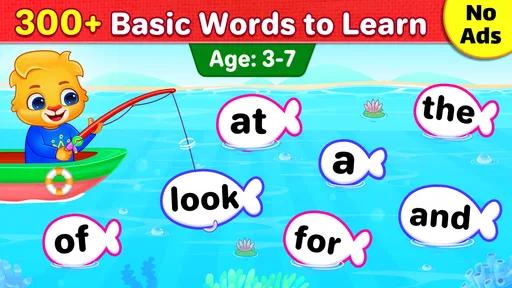
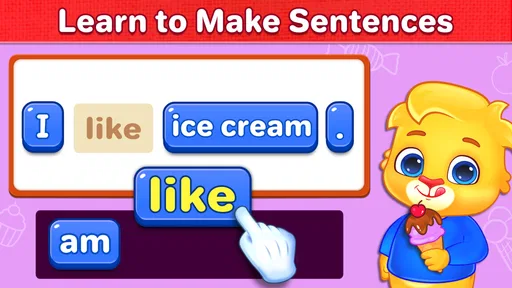
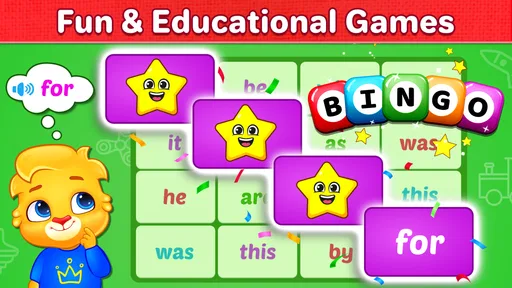
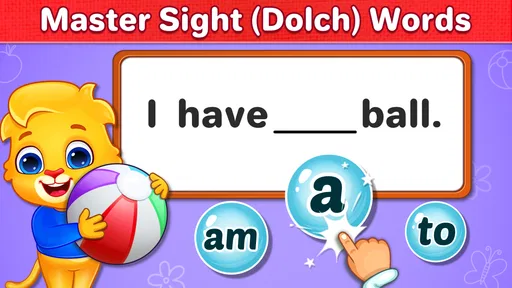
First off, the thing that struck me the most about Learn to Read: Kids Games is how it cleverly blends education with entertainment. The app is designed to hold the attention of young children while teaching them essential reading skills. It’s packed with interactive games that are not only educational but also incredibly engaging. Imagine your kids begging to play a game—that’s actually teaching them phonics, vocabulary, and comprehension. Sounds like a win-win, right?
Interactive and User-Friendly
What’s more, the user interface is super friendly. Even if your kiddo isn’t tech-savvy, they’ll easily navigate through the app’s colorful and intuitive layout. The developers have done a stellar job at making the app accessible, so children can focus on learning without getting frustrated with complicated controls. The games are structured in a way that gradually increases in difficulty, ensuring that kids are always challenged but never overwhelmed.
Worth Reading Before You Choose

EA SPORTS FC Mobile 26 Is a Bigger Football Game, but It Takes Time

Flipboard Shows What News Apps Must Do Beyond the Feed

Switching to Android Auto Means Rethinking Your Driving Routine

Google Calendar Makes a Crowded Week Easier to Manage

Ludo King Makes the Most of the Minutes Between Plans

Baby Panda World Brings Quick Play to Modern Phones, but Its Game Library Feels Busy
For a parent, the practical test is whether a child can take a turn without needing constant help with the controls. If they can, I would let them try a task independently, then step in only when they appear confused about the reading rather than the interface. That distinction matters: repeatedly guiding a child through taps can make an activity feel like a test, while letting them handle the interaction leaves more attention for the words themselves.
Customizable Learning Experience
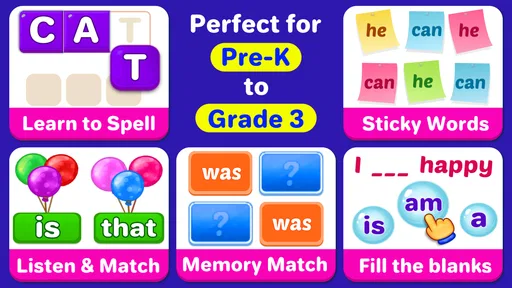
One of the standout features of this app is its customizability. Parents can tailor the learning experience to match their child’s pace and level. Whether your child is just starting to recognize letters or they’re ready to tackle full sentences, Learn to Read: Kids Games has something for every stage. This personalized approach means that the app grows with your child, making it a long-term investment in their education.
I would still treat the child’s response as the best guide to pacing. If an activity feels easy, ask them to explain how they chose an answer or read it aloud; that reveals more than simply moving on quickly. If the task becomes frustrating, pause and return later instead of turning the game into a contest. A child who needs repeated help with the same kind of word may benefit from practicing that pattern with a parent or teacher away from the device, then trying the game again.
Making practice useful rather than automatic
One non-obvious trade-off with any early-reading game is that success at tapping a correct option does not always mean a child can recognize the same word on a page. I would occasionally ask the child to find a familiar word in a story or point it out on a household label. This simple transfer check helps a parent see whether the play is supporting reading beyond the game itself, without turning every session into a quiz.
It is also worth watching for guessing. A child may learn to respond quickly to pictures, sounds, or familiar patterns without looking closely at the letters. If that happens, slow the pace with a prompt to name the first sound or read the whole sentence together. The aim is not to make the child perform perfectly; it is to help them notice how a word works. This kind of gentle adult participation is especially useful when the child is excited by rewards and wants to rush.
Why It Stands Out
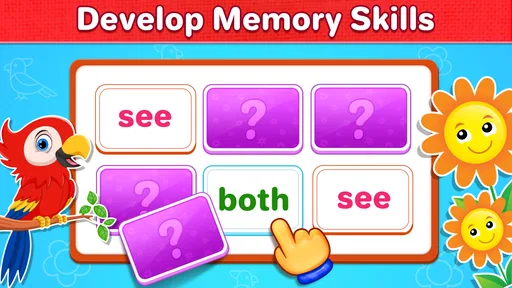
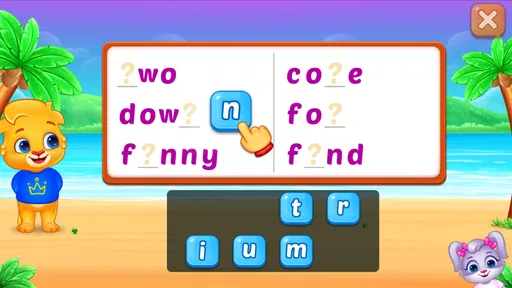
Another aspect worth noting is the app’s wide range of content. From phonics and word recognition to spelling and comprehension, it covers all the bases. Each game is designed to target specific skills, ensuring a well-rounded approach to learning to read. Plus, the app’s content is continually updated, so there’s always something new to explore and learn.
Compared with a printed workbook, a game can make practice feel more immediate and inviting, particularly for a child who resists sitting down to complete written exercises. Compared with a storybook, though, it offers a narrower kind of experience: books expose children to longer narratives, varied language, and the rhythm of reading together. I would use this app for interactive practice and a book for sustained reading, rather than expecting one to replace the other.
It also differs from a general video or entertainment game because the activity has a clear learning purpose. That focus is a strength when a child is ready to work with English words, but it may not be the best choice for a child who wants open-ended play or needs instruction in another language. Families looking for a full reading curriculum, detailed teacher-led lessons, or a quiet offline activity may prefer a book, classroom resource, or direct support from an educator.
Parental Insights and Progress Tracking
For parents who like to keep track of their child's progress, the app offers insightful reports. You can easily monitor which areas your child excels in and which ones might need a little more attention. The progress tracking feature is a fantastic tool for parents and educators to tailor learning strategies to meet the child’s needs.
I would use progress information as a conversation starter, not as a judgment of ability. If a child seems comfortable with one skill but hesitates elsewhere, that can help an adult choose what to practice together next. It is also sensible to check whether the child can use the skill in a different setting before deciding they have mastered it. An app record can show how play is going; a child reading a word in a new sentence tells you more about how well that knowledge transfers.
Designed for Fun and Motivation
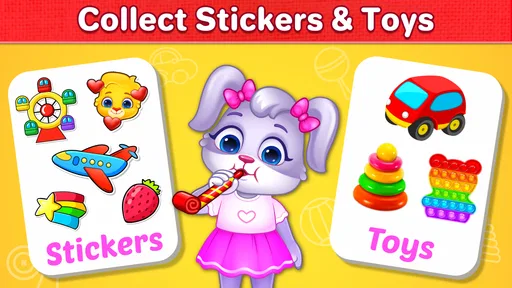
Let’s be honest, kids are motivated by fun, and this app has plenty of it. With rewards and incentives built into the games, children feel accomplished and eager to return to the app. It’s like they don’t even realize they’re learning, which is the beauty of it. The colorful graphics and friendly characters make the experience even more enjoyable.
What the reward loop does well—and where to be careful
The basic loop is easy to understand: a child attempts a reading activity, receives feedback, and gets a reason to try again. That immediate response can make practice feel less intimidating than being corrected later on a worksheet. Rewards are helpful when they celebrate effort and encourage another go, but they should not become the only reason a child participates. I would praise a careful attempt or a child explaining an answer, not just quick completion.
A useful routine is to let the child finish a small stretch of play, then switch to a real-world reading moment: read a sentence together, spot a word on a package, or talk about what a sentence means. After that, the child can return another day with a fresh start. This reset keeps the game from turning into an endless demand for more screen time and gives the child a chance to remember what they practiced without immediate prompting.
Practical fit and device expectations
The game is free and its current version is 1.5.3; it was released on February 21, 2020, and requires Android 6.0 or later. That makes the Android requirement worth checking before setting it up on an older device. The Everyone age rating is reassuring for families looking for child-oriented material, but I would still stay nearby with a young learner, both to help with reading and to manage when the device is put away.
One question parents often have is whether this can be used without adult involvement. A child who is comfortable navigating the activities may be able to play independently for a while, but I would not treat that as a substitute for shared reading or guidance. Another is whether it suits a child who already reads fluently: it may still offer useful word practice, but a confident reader who wants longer stories or more challenging material is likely to get more from books or a different learning resource.
If you are choosing between this and a conventional phonics app, think about what your child needs next. A focused phonics tool may be the better fit when letter-sound relationships are the main hurdle. This game is more appealing when you want a broader, playful route into words and sentences. If your child learns best by writing, moving letters physically, or discussing a story with an adult, pair the game with those activities rather than expecting screen interaction alone to cover every learning style.
Final Thoughts
In summary, Learn to Read: Kids Games is more than just an educational tool; it’s a gateway to a world of fun learning for children. It’s thoughtfully designed to cater to various learning stages, and its interactive approach keeps kids engaged and motivated. If you’re looking for a way to support your child’s reading journey, this app is definitely worth checking out.
So, why not give it a try? You might just find that it’s the perfect combination of fun and learning that you’ve been searching for. Happy learning!
My verdict on the repeat-play cycle
I see the strongest case for this game as a low-pressure way to invite a child into English-reading practice, then build a simple routine around what they have just tried. Its engaging activities and reward loop can help a reluctant learner begin, while an adult’s follow-up makes the words more meaningful. The limitation is the same one I keep in mind with educational games generally: motivation to play is not identical to learning to read independently.
I would recommend trying it for a child who enjoys interactive tasks and needs a friendly nudge to practice, especially when a parent can occasionally join in and connect screen activities to books or everyday words. I would skip it as the main solution for a child needing structured specialist instruction, a non-English reading program, or extended reading material. Used in the right place—brief practice, a clear stopping point, and real reading alongside it—the game has a sensible role in a young learner’s day.
Pros
- Engaging interactive content for kids.
- Colorful graphics enhance learning experience.
- Easy to navigate interface for children.
- Regular updates with new learning materials.
- Supports multiple languages for diverse users.
Cons
- In-app purchases might be costly.
- Requires internet for some features.
- Limited content in the free version.
- Audio quality can be inconsistent.
- Some games are too challenging for younger kids.
FAQs for Learn to Read: Kids Games
What age group is Learn to Read: Kids Games suitable for?
Learn to Read: Kids Games is designed for children aged 3 to 8 years old. The app uses interactive and engaging methods to help young learners develop reading skills. It features age-appropriate content that aligns with early education standards, making it an excellent choice for preschoolers and early elementary students.
Is Learn to Read: Kids Games available on both Android and iOS?
Yes, Learn to Read: Kids Games is available for download on both Android and iOS platforms. You can find it on the Google Play Store for Android devices and the Apple App Store for iOS devices. Ensure your device meets the app's compatibility requirements for a smooth experience.
Does the app require an internet connection to function?
While some features of Learn to Read: Kids Games may require an internet connection, such as updates or downloading additional content, most of the core reading activities can be accessed offline. This makes it convenient for use during travel or in areas with limited connectivity.
Are there any in-app purchases or subscriptions in Learn to Read: Kids Games?
Learn to Read: Kids Games offers a range of free content, but it also includes optional in-app purchases or subscription plans. These purchases can unlock additional features, games, and content. Parents can manage these purchases through the app's settings to control spending.
How does Learn to Read: Kids Games support learning?
The app uses a variety of interactive methods, such as phonics games, storytelling, and visual aids, to support reading development. It provides a personalized learning experience by adapting to the child’s reading level, offering rewards and feedback to encourage progress, and aligning with educational standards.


